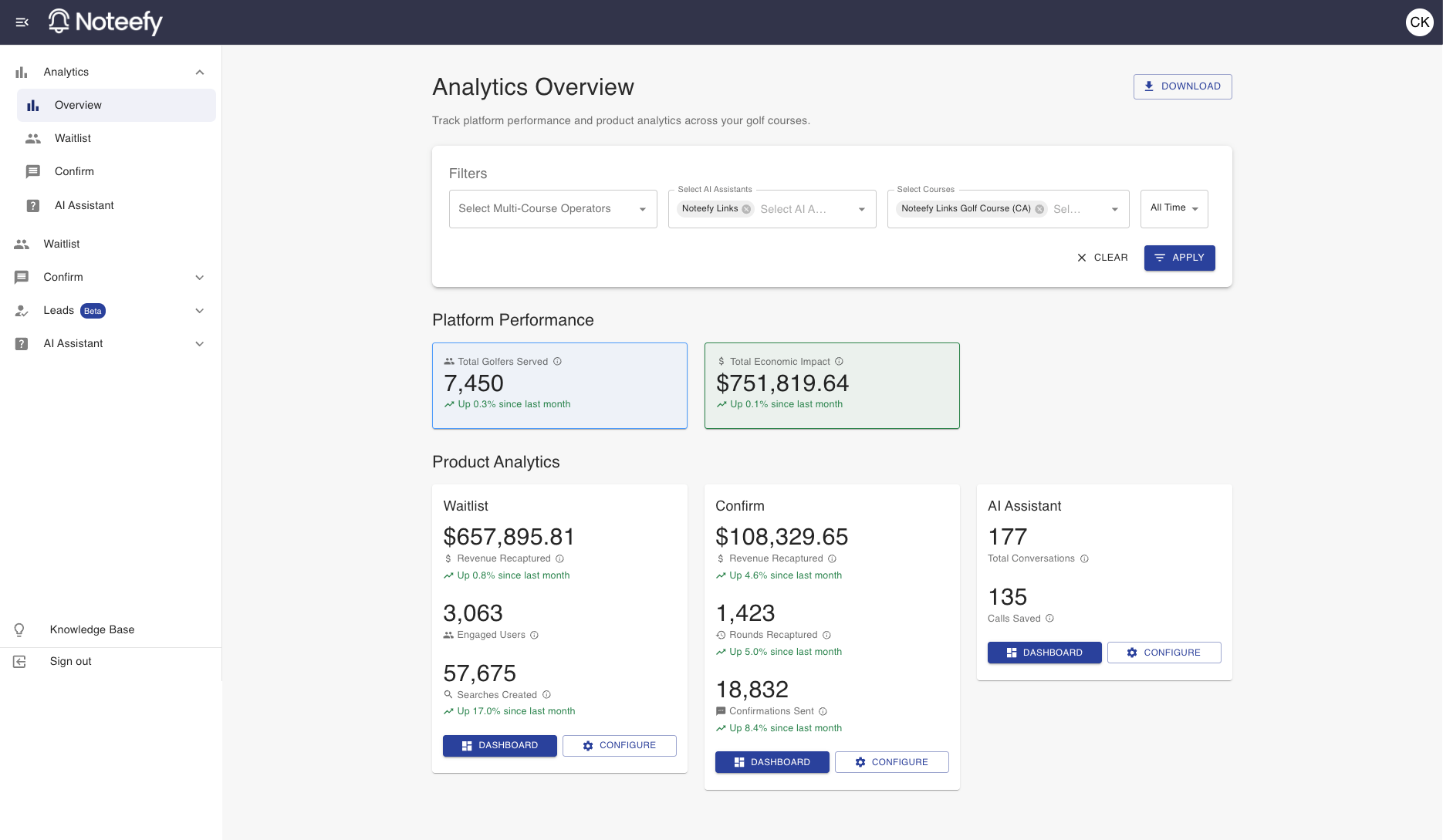
Noteefy’s Platform Analytics Overview gives you visibility into how your course is performing across the full suite of Noteefy products. Use this data to make smarter decisions, optimize operations, and elevate the golfer experience.
🧠 Looking at the data you want
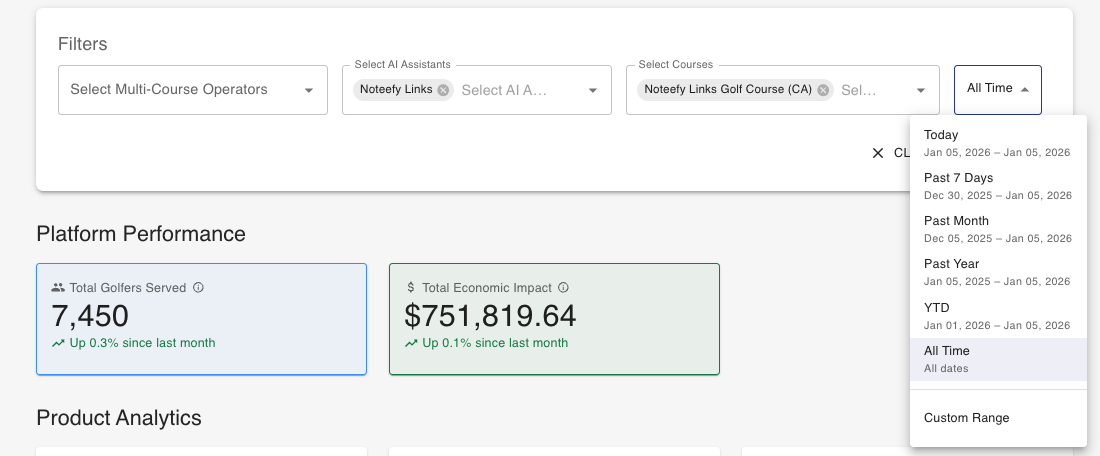
Use the filters at the top of the page to focus on the data most relevant to you—by course (if you manage multiple) or by time range.
- If you have access to only one course, it will be selected by default.
- By default, the dashboard shows data for the full time period since Noteefy was activated at your course.
- To narrow the view, click the ‘All Time’ dropdown. Choose a preset (e.g., “Past 7 Days,” “Past Month”) or set a Custom Range.
- Click Apply to have the data begin loading
🛠️ Understanding the Metrics
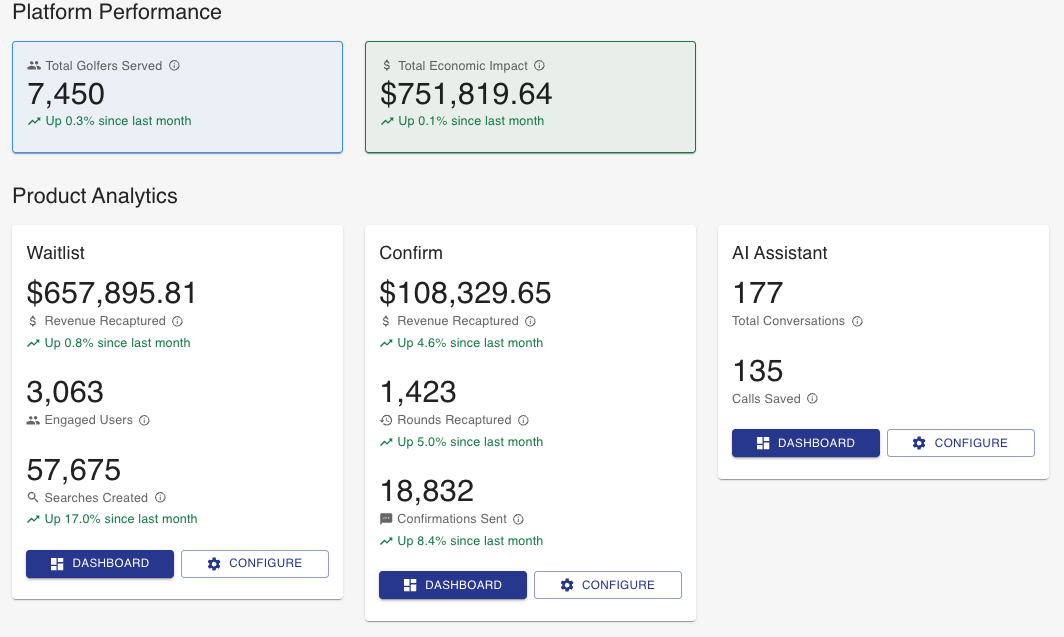
The dashboard includes grouped metrics that show how Noteefy is impacting your operations. Here’s what each section means:
Platform Performance
- Total Golfers Served: Total number of unique golfers who have used Noteefy Waitlist and/or Confirm. A unique golfer is counted if their email or phone have been used to access either service at least once.
- Total Economic Impact: Total economic value generated across the Noteefy platform, calculated using unique tee time booking prices and the RevPOTT multiplier. A unique tee time booking is counted only once even if it was cancelled and booked again multiple times.
Product Analytics - Waitlist
- Revenue Recaptured: Total revenue generated from bookings made through waitlist notifications, calculated using booking prices and the RevPOTT multiplier.
- Engaged Users: Total number of unique users who either created a search or got a notification within the selected period.
- Searches Created: Total number of waitlist searches created by golfers during the selected period.
Product Analytics - Confirm
- Revenue Recaptured: Total revenue recovered from cancelled bookings that were refilled through confirmation communications, calculated using booking prices and the RevPOTT multiplier.
- Rounds Recaptured: Total number of cancelled golf rounds that were successfully refilled through confirmation communications.
- Confirmations Sent: Total number of confirmation messages sent to golfers for their tee times (only looking at unique tee times).
Product Analytics - AI Assistant
- Total Conversations: Total number of conversations handled by AI assistants
- Calls Saved: Number of phone calls saved through AI assistant interactions. We define a phone call saved as the number of conversations that did not get escalated to the pro shop by our AI assistant recommending to reach out in that way.
🔍 Accessing Deeper Insights
You’ll notice a blue Dashboard button within each product section. Clicking it will take you to a more detailed dashboard for that product.
Need to adjust settings for Waitlist, Confirm, or the AI Assistant? Click the Configure button to manage how each product runs at your course.
💡 Downloading & Sharing Your Results
Want to share your Noteefy performance with others on your team—or for a board meeting?
Click the Download button in the upper-right corner of the dashboard to generate a PDF. The PDF includes:
- The main Analytics Overview
- All product-specific dashboards
- Filters you’ve applied (course and date range)
Use this to showcase wins, inform strategy, or report results to leadership.
📞 Need Help?
Your Customer Success Manager can help you get started or review your setup.
📧 Email: customersuccess@noteefy.app