Want to give members early access to tee times while still letting the public join your waitlist later? Noteefy Member Tier Pages make that possible.
With tiered access, you can control how far in advance different groups can create waitlist alerts—maximizing member benefits without losing public demand.
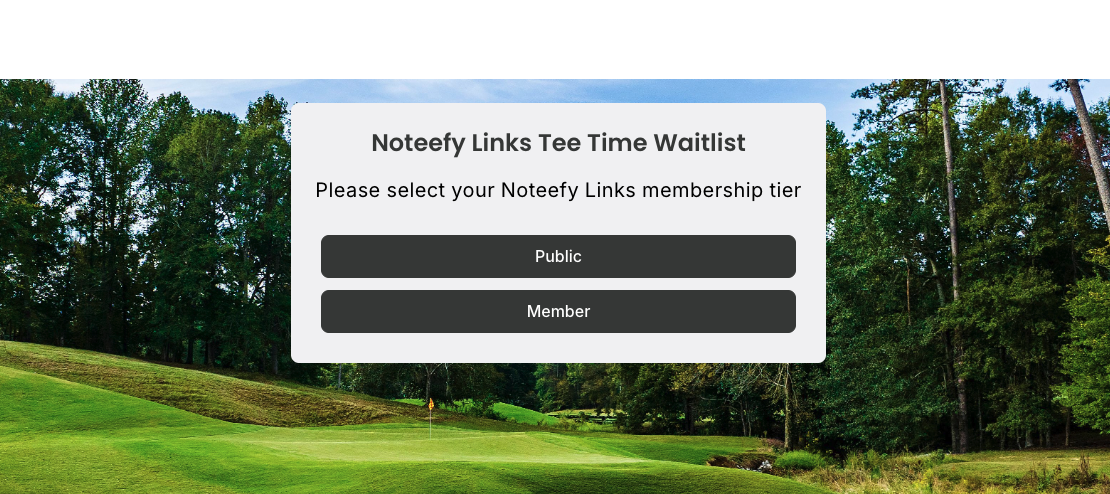
🎯 What Are Member Tier Pages?
- Dedicated URLs that control how far in advance golfers can see and create waitlist alerts.
- Designed to give priority booking visibility to a specific group, like Members.
- Other categories would be routed for a different, shorter booking window
🔓 How It Works
Each tier has a separate Noteefy URL:
- Member URL (e.g., /membership-tiers)
- Lets golfers search on your preferred window for members.
- Public URL
- Limits visibility to a separate window of time.
Golfers simply use the appropriate link to:
- Choose their preferred dates/times
- Set their alert preferences
- Be notified when a spot opens
🛠 How to Set It Up
- Contact your Noteefy Customer Success Manager to:
- Enable tiered access for your course.
- Set the correct number of days for each tier.
- Customize the Member Tier Page branding and language.
- Publish the Member Tier webpage and inform specific golfer groups:
- In your membership portal or login area
- Via private emails or newsletters
- Promote the Noteefy Waitlist through emails, social media, or on your website.
📌 FAQs
What happens if a public golfer finds the wrong URL?
The system doesn’t validate membership status. All Noteefy does is route them down a specific track — and the golfer is bound to their respective teesheet booking rules and privileges. If they click the wrong link, there’s a chance the golfer may not be able to book due to their membership rules.
Can we create more than two tiers?
Yes! Reach out to your Noteefy rep to explore options for multi-tiered membership levels.
Need help setting up or promoting your Member Tier Pages? Email customersuccess@noteefy.app - we’ll help you maximize value for members and streamline public bookings.