As your AI Assistant handles more and more of your customer conversations, you may want to check in and review conversations for accuracy and to see where you can improve content and navigation on your website.
🧭 Where to Find Past Conversations
- Log into your Admin Portal:
Go to admin.noteefy.app.
- Navigate to “My Conversations”:
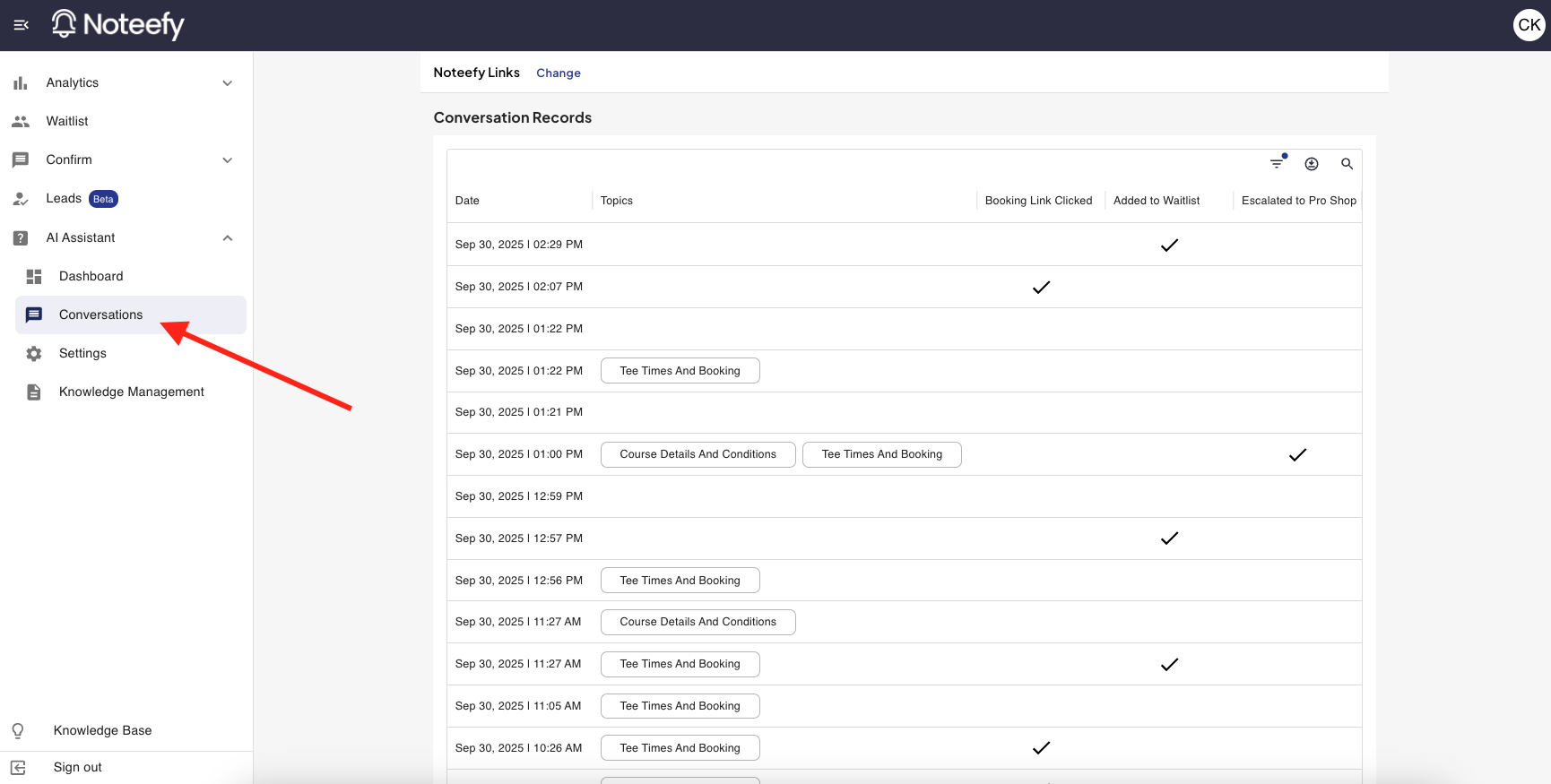
- Click on ‘AI Assistant’.
- Select ‘Conversations’ from the dropdown menu.
- Browse or Search Conversations:
- Use filters to sort by date, topic.
- Click the magnifying glass icon to search for specific conversations
- Click any row to view the full conversation.
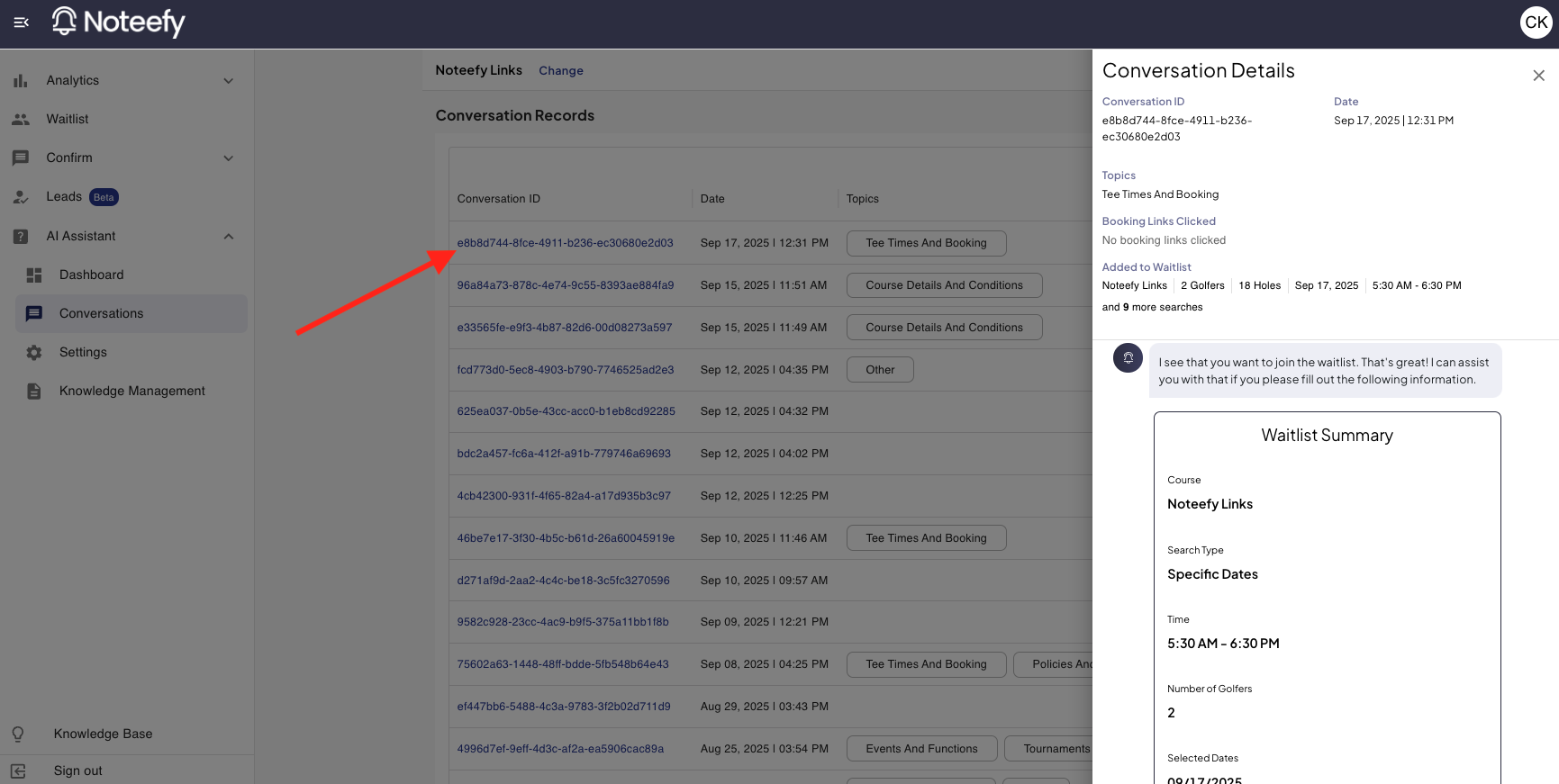
A couple of notes on the conversation details:
- Similar to the conversations overview page, you will be able to see the date of the conversation and the topics discussed in the conversation on the details page
- Additionally, you will be able to see the initial question asked by a customer, how the AI responded, and any subsequent back-and-forth between the customer and AI
- If a customer goes through a tee time search, you will see the time they requested, what tee times were offered up as options, and if they clicked through on any to your tee sheet
- If a customer starts the waitlist search flow through their conversation, you will be able to see the search that they create
- If a customer provided a rating to the conversation, you WILL NOT be able to see that rating at the end of the conversation.
- If the AI Assistant suggested reaching out to the pro shop in its response because it did not have the information to answer, you will see a checkbox in the ‘Escalated to Pro Shop’ column
🧠 Pro Tip
Use conversation history to train new staff. It’s a great way to show how to ask the Assistant the right questions and get the most value out of the tool.
💬 Still Have Questions?
Reach out to your Customer Success Manager, or email us at customersuccess@noteefy.app